
An autonomous AI worker in the CRM.
Leeward is the first among CRMs for OnlyFans, Fansly and other platforms with an autonomous AI worker. It walks a newcomer through the interface, answers the owner and the team lead with data from the CRM, and writes to the team chat on their command. It is just as useful for agencies as it is for creators who run their own page.
Ask in your own words
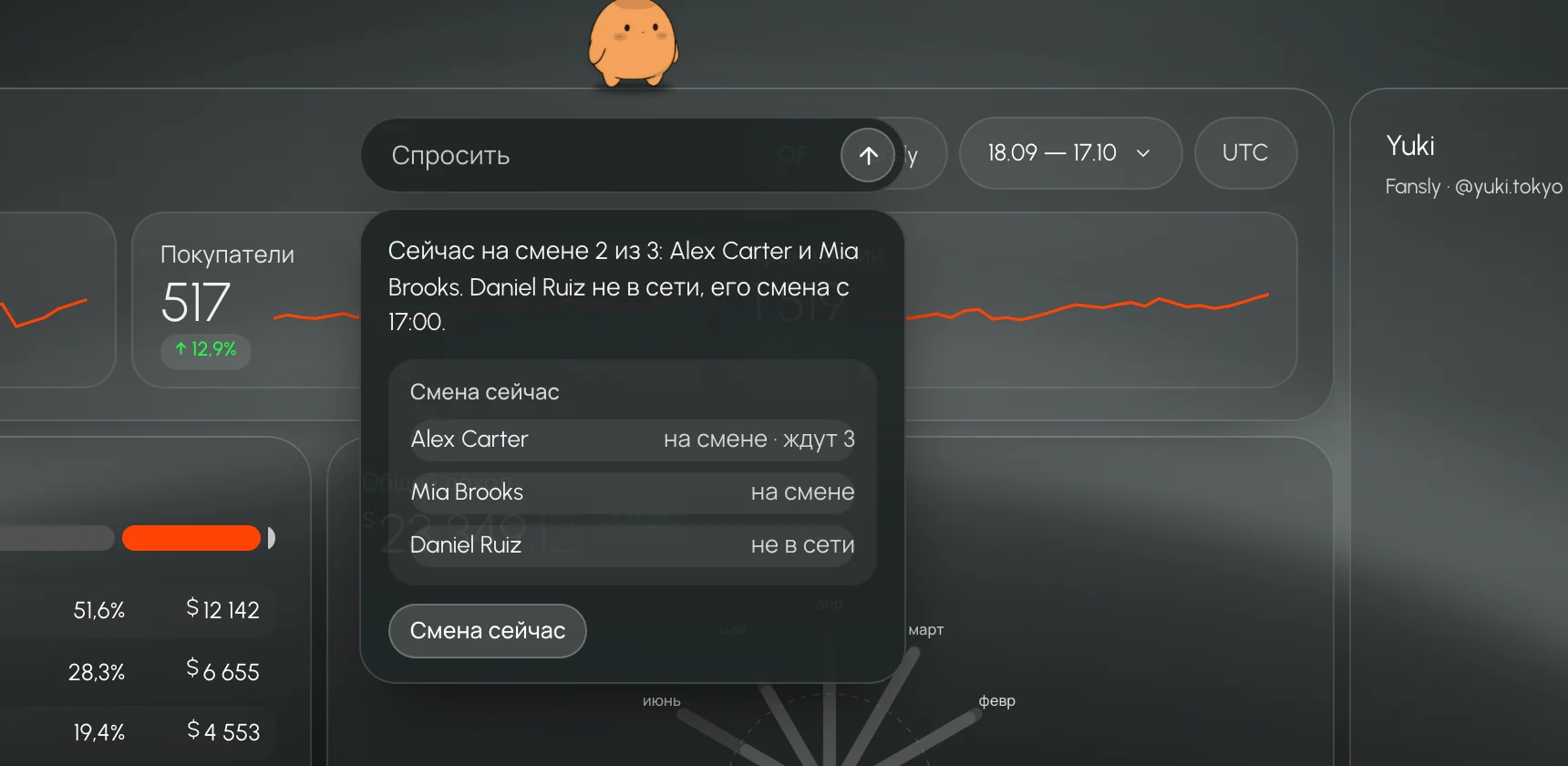
Click “Assistant” next to the bell, or press ⌘J, and type your question the way you would ask a colleague: “who’s on shift”, “how much did we make”, “what’s on fire”. The AI worker understands slang and, besides Russian, six more languages: Ukrainian, English, Spanish, German, Portuguese and French.
It answers with data from the CRM: who is on shift and who isn’t, whose fans are waiting for a reply, and how much the agency earned over a period. An answer carries the same permissions as the person asking, so a chatter won’t see anything they aren’t supposed to.
Newcomers don’t get lost
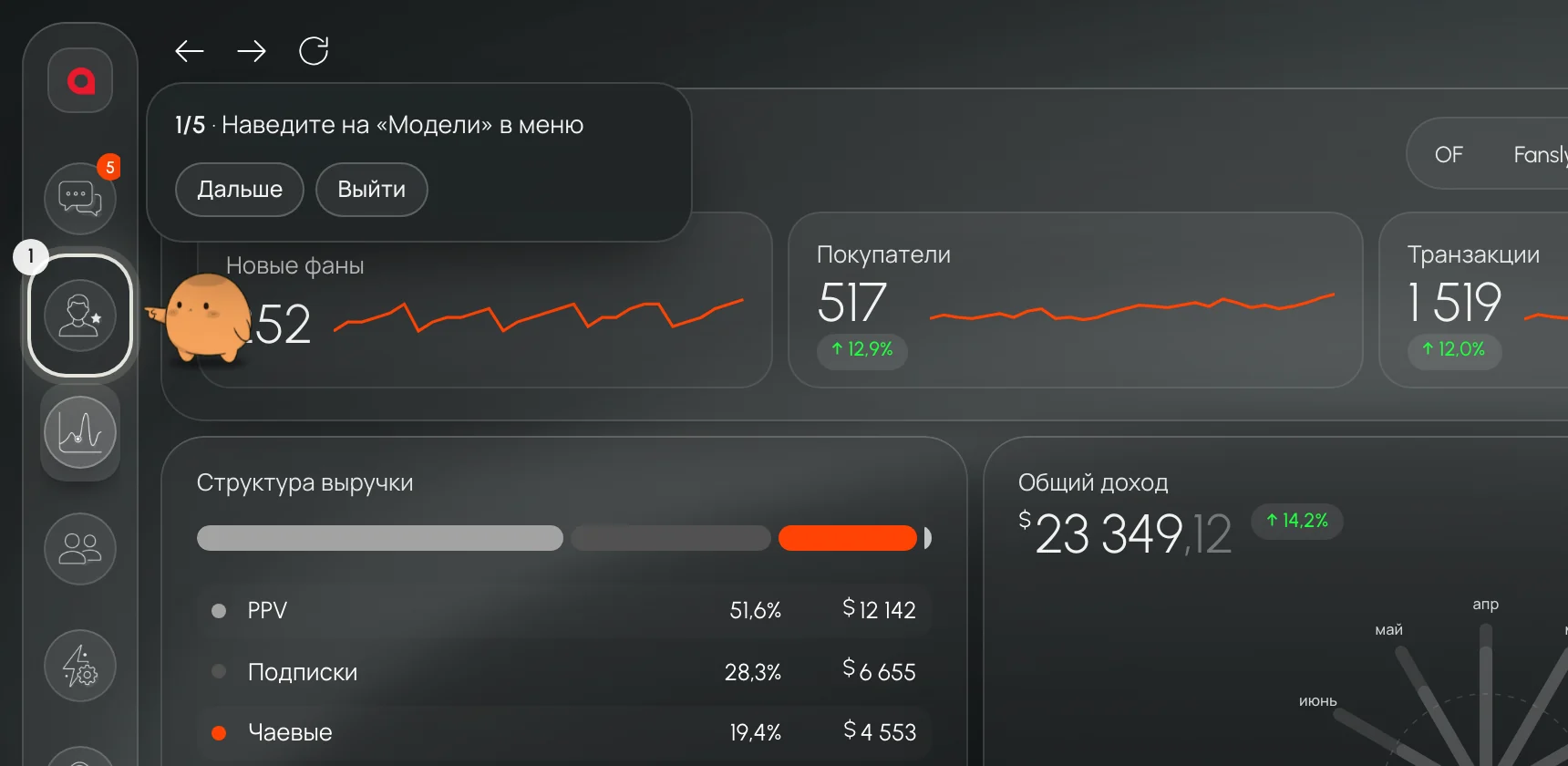
A new team member asks: “how do I connect a model?”, “how do I add a chatter?”, “I want to send a mass message”. The AI worker opens the right screen and points its paw at where to click: it circles the button with a ring and a step number, then guides the person onward at whatever pace suits them. If something doesn’t work, a “Show” button appears in the hint, and the AI worker opens the right menu itself.
Leeward currently has eight of these step-by-step guides:
- connect a model;
- add a team member;
- assign a model to a chatter;
- create a shift;
- top up the balance;
- send a mass message;
- connect Telegram;
- change the theme.
A person always presses the final button. The AI worker guides you step by step, but it never adds or sends anything itself. Newcomers find their feet without calls, and the team lead doesn’t have to explain the same thing to every new hire.
The right screen in a second
Say “open conversations”, “where are the shifts” or “show fans”, and the AI worker opens the right section for you: Conversations, Mass messages, Models, Fans, Dashboard, Shift now, Team, Shifts, Tasks or Settings. Newcomers don’t have to memorize the menu, and experienced staff don’t have to hunt for a rarely used screen.
Agency risks in one answer
Ask “what’s wrong?” or “what’s on fire?”, and the AI worker gathers the agency’s risks into a single answer, so you don’t have to go through several screens. Ask “how are things”, and it gives you the overall picture of the agency.
Chatters know where they stand
A chatter can ask about themselves: “am I on shift?”, “my models”, “what can I do”. The AI worker answers within their permissions and shows nothing beyond them. At the start of a shift, the team lead gets fewer questions in DMs.
It writes to the team when you say so
The owner or team lead gives a command, for example: “send to everyone: night shift from 22:00, whales first”. The AI worker drafts the message, shows where it will go and offers three buttons: “Send”, “Edit” and “Cancel”. Until you press “Send”, the message goes nowhere. If there is no decision within five minutes, the draft is deleted.
This command isn’t available to chatters: the AI worker will reply that only the owner or a manager can do this.
Team chat right next to the work
Leeward has its own built-in team chat: a general channel for the whole agency, a group for every shift, direct messages and an Alerts channel. Under every message, you can see how many people have read it. You don’t need Discord or Telegram for internal communication.
The system posts to Alerts on its own if the owner turns on the relevant switches: a shift starts in 15 minutes, fans have been waiting for a reply for more than 30 minutes, or a model has disconnected. All three are off by default.
The team lead stays in touch with the shift
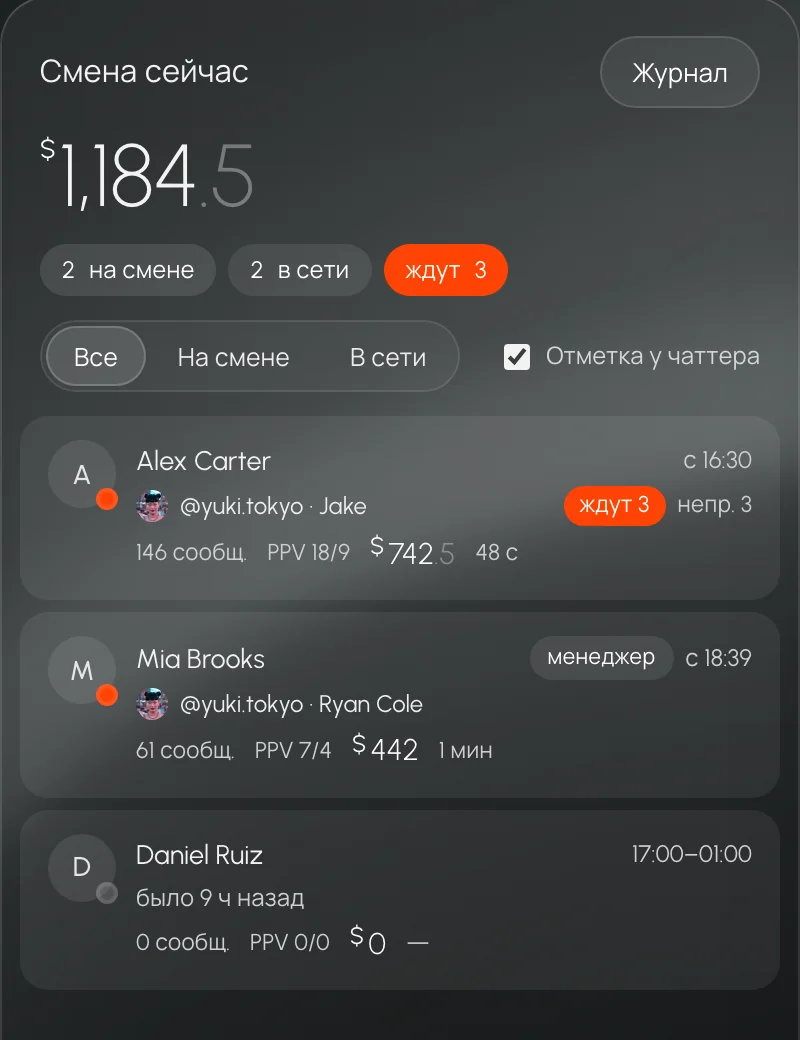
You can keep the Shift now screen open for the whole shift. At the top, you see how many people are on shift and online, and how many fans are waiting for a reply. The list can be filtered: all, on shift, online. Each chatter’s row shows which model they are in, which fan they are talking to, how many fans are waiting on them and how much they have sold today.
A chatter’s screen in real time
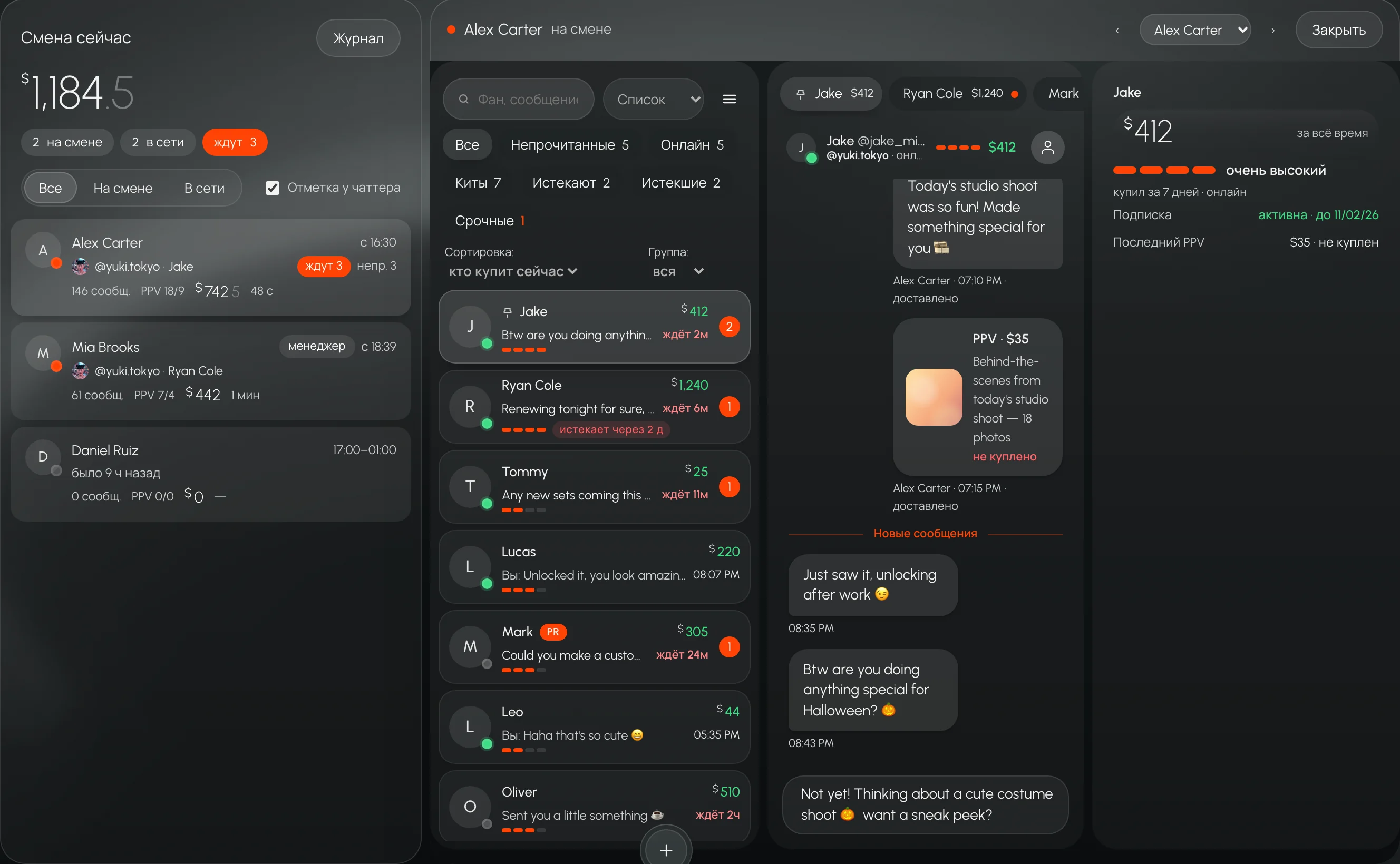
From Shift now, the owner or team lead can open a view of any chatter on shift. You see their workspace in Leeward: the open model, the tabs, the conversation and even the text they are typing, along with the PPV price, before it is sent. The picture refreshes about once a second, and new messages in the conversation appear instantly.
This mode is view-only: you can’t write to a fan or change anything on the chatter’s behalf from it. Every view is recorded in a log. The owner decides whether the chatter sees a notice that they are being watched.
It doesn’t write to fans
The CRM’s AI worker works only with the team. Writing to fans is forbidden for it, both in its rules and in the code. Fans talk to chatters and, if you have connected Alice, Leeward’s AI chatter, to her as well. She is a separate tool with her own settings.
Who sees what
Leeward has three roles: owner, team lead and chatter. A team lead sees almost everything the owner sees, except owner-only actions such as deleting a model and agency settings. A chatter sees only their own screens: Conversations, Shifts and My profile. The first time, they sign in with a code from the invitation email. Leeward has no model passwords: a model is connected through a session, and no one on the team ever sees the password.
For agencies and for creators
The AI worker isn’t only for agencies with a large team. A creator who runs their own page gets exactly the same: step-by-step guides, answers built on CRM data and the right screen with a single phrase. You can learn Leeward at your own pace without wasting time looking for buttons.
How to start
- Create an agency. Enter a name, a work email and a password. Every connected model gets 7 days free.
- Connect a model and invite your team. If you can’t find the button, ask the AI worker “how do I connect a model”, and it will show you.
- Open Shift now. See who is online and where fans are waiting, and open a chatter’s screen if you need to.
Questions
Can the AI worker send anything without me?
No. In the guides, a person presses the final button. A message to the team chat goes out only after you press “Send”. The AI worker never writes to fans.
Does a chatter see that they are being watched?
That is the owner’s decision: the notice can be turned on or off in Shift now. The viewing log is kept either way.
Can a team lead reply to a fan from the viewing mode?
No. The mode is read-only, and the server rejects any change made from it.
Which plan includes the AI worker?
It is part of the Base plan, which means it is available on every plan.
We don’t stand still.
Technology keeps moving, and we move with it. We are constantly improving our AI and Leeward as a whole, so that it is convenient and comfortable for everyone.
Try Leeward on your models
7-day free trial for every model you connect.