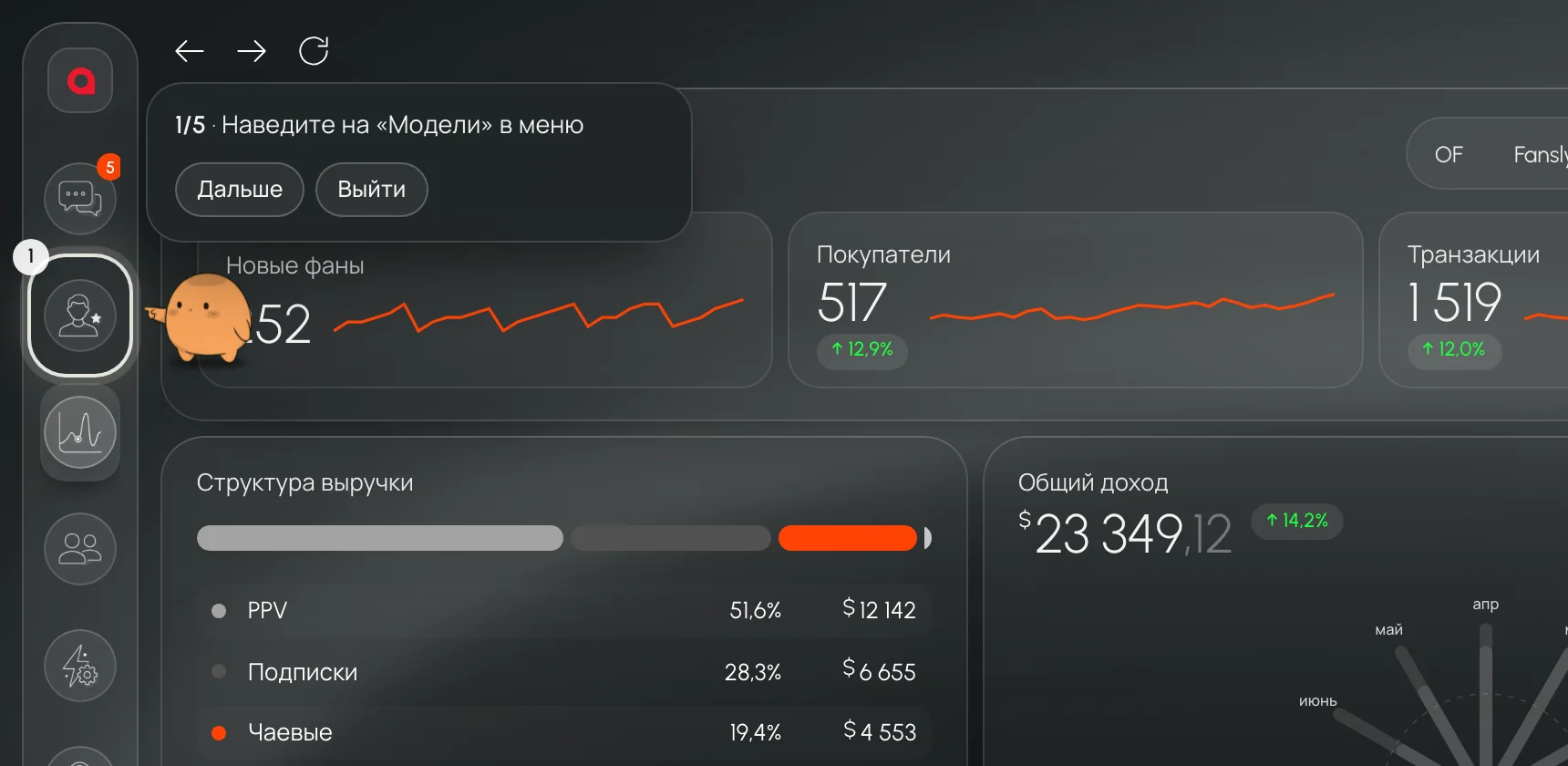
Twelve numbers for the day.The day’s key metrics on one screen, from average order value and rebill to reply speed and FYP views.

Leeward for OnlyFans and Fansly
Fans, team, shifts and money in a single app, made for agencies and creators.

OnlyFans and Fansly sit side by side, and switching between models takes one click.
Channels, shifts and direct messages are built right into Leeward.
You can see at a glance who is working right now and how much each person is bringing in.
Revenue, PPV and team payouts are calculated automatically.
Revenue, PPV, rebill and whales are gathered on one screen, so every morning you can see how the day went.
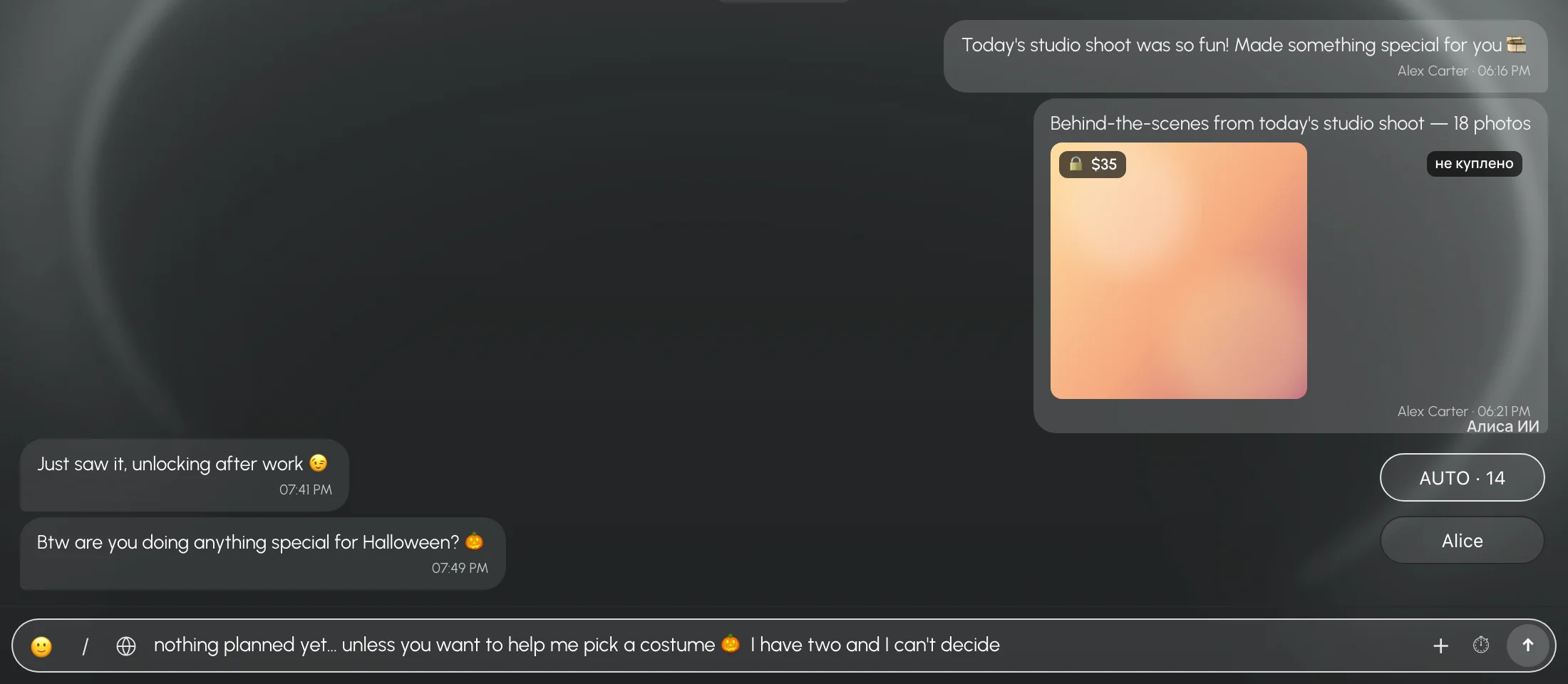
Fans who are ready to buy rise to the top, and their purchase history is right there in the conversation.
Channels, shift groups and direct messages live inside Leeward. A message in a group reaches the whole shift.
Leeward works out schedules, hours worked and team payouts automatically.

Revenue, PPV, rebill and whales are gathered on one screen, so every morning you can see how the day went.

Fans who are ready to buy rise to the top, and their purchase history is right there in the conversation.

Channels, shift groups and direct messages live inside Leeward. A message in a group reaches the whole shift.

Leeward works out schedules, hours worked and team payouts automatically.
How it works
Real screens from the app. Pick a feature and watch how it is used.
These are real Leeward screens. The numbers come from a test agency, and fan names are hidden.


Leeward has a built-in team chat. Channels for the whole agency, a group for every shift, direct messages and an Alerts channel where the system posts on its own. The owner, team leads and chatters talk in the same place where they work.
Your team doesn’t need Discord or Telegram: the work chat is already in the CRM.


One chat for the whole agency, where everyone sees what their role requires.
An autonomous AI worker inside Leeward. It understands how agencies talk, answers with data from the CRM and works only with your team. Leeward is the first CRM for OnlyFans, Fansly and other platforms with an autonomous AI worker.

Ask in your own words, the way you would in a work chat. It answers with figures from the CRM, using the permissions of whoever is asking.

Each morning it will put together a short summary of the day, so you won’t have to go through the screens one by one.

Tell it what to write and to whom, and it prepares a draft. The message goes out only after you press “Send”.

It opens the right screen and points with its paw to where you should click. You always press the final button yourself.
Install Leeward, create your agency and connect your first model. Every model gets 7 days free.


Every connected model gets 7 days free.
Fan chats, your team and shifts in one window.
Shows why revenue is going up or down.
All metrics and an AI chatter for conversations with fans.
For agencies with 50 or more models and at least two accounts per model.
Price per connected model, billed monthly.Price per model per month, billed every 3 months.Price per model per month, billed every 6 months.
No. Leeward has its own team chat with channels, shift groups and direct messages. If you turn on Alerts, Leeward posts there on its own when a shift is about to start, fans have been waiting too long for a reply or a model gets disconnected.
Each model runs through its own dedicated US proxy, which connects automatically and is included in the price. If the proxy stops working, Leeward replaces it on its own. Login details are stored encrypted.
You send the chatter an email invitation, and they sign in to Leeward with their own email using the code from that message. You decide which models they work with and what their role allows.
Leeward works with OnlyFans and Fansly in one app. You can install it on macOS with Apple Silicon or Intel, and on Windows.
Every newly connected model gets 7 days free. This works the same for an agency and for a creator who runs their own page.
You pay monthly for each model, and paying 3 or 6 months in advance gives you a discount. Details are in pricing. You top up your Leeward balance with cryptocurrency, and models are paid from that balance. Refunds follow our refund policy.
Yes. Turn off auto-renewal for a model and the next period won’t start. A paid period that has already begun is not refunded. Details are in the refund policy.
It is an autonomous AI worker inside Leeward. It answers the team’s questions with data from the CRM, opens the right screens and guides people step by step, showing where to click. When the owner or a team lead asks, it prepares messages for the team chat, and it never writes to fans. It is included in every plan.
Yes. Leeward Chat can translate incoming fan messages automatically, and Cmd+S (Ctrl+S on Windows) translates your draft before you send it.
Write to us at [email protected].
No. OnlyFans and Fansly are trademarks of their respective owners. Leeward is an independent product and is not affiliated with, endorsed by or sponsored by OnlyFans or Fansly.
Leeward blog